Character & Style
Mixed Media Experiments on Meeting Scenes
Pure Underwater Photography — Three Models
No mixed media language, no trumpetfish, no handcrafted artwork. Pure hyper-realistic underwater photography with model-specific prompts. Each model prompted according to its skill rules.
Reef Environment Favorites
Founder-selected best environment scenes from Batches 15-16. These represent the target quality and feel for the reef environment before adding characters.
Environment Only — Super Diverse Reef Life
Anemones with clownfish, yellow tangs, butterflyfish pairs, Moorish idol, turtle swimming above, parrotfish, trumpetfish, sea urchins, feather duster worms, starfish, crabs. Every species in natural habitat.
Environment Only — Turtle Swimming
Same bright colors and low angle. Turtle now GLIDING through open water ABOVE the reef — swimming naturally, not sitting on the ground.
Environment Only — No Turtles
Same bright colors and low angle. Removed turtle from prompt (was appearing on the ground). Fish only: yellow tangs, butterflyfish pairs, Moorish idol.
Environment Only — Brighter Vivid Colors
Same low angle as Batch 12 but with BRIGHT, VIVID, SATURATED colors — hot pinks, vivid oranges, electric purples, bright lime greens. Colors POP and GLOW.
Environment Only — Low Angle Deep in Coral
Camera positioned LOW among coral formations looking up through reef canopy. Light filtering down through coral and surface. Frame dominated by reef structure, not open blue water. Used reef-environment-prompting skill for species placement.
Environment Only — Vibrant Color Palette
Enhanced colors to match meeting_wide reference images — vivid blue ocean, saturated coral pinks/oranges/purples/greens. NBP only, 8 variants.
Environment Only — No Characters
Generating the reef environment FIRST without any characters. Get the hyper-realistic underwater ecosystem right, then add characters separately. This isolates the environment quality from character placement issues.
Also: analyzed WHY characters look dynamic in successful batches vs plastered in hide-and-seek. Root cause: successful prompts describe ACTORS (floating, reaching, looking at each other). Hide-and-seek prompts describe OBJECTS to find (hiding, peeking, barely visible). Next step: add characters using the dynamic relational language from successful batches.
Hide and Seek — Hyper-Realistic Tall Dense Reef
Hyper-realistic underwater photography. Reef fills frame bottom to top — no clear blue horizon. Towering coral reaching toward surface. Characters BARELY visible (~5%). Shorter concise prompts modeled on meeting_wide (the prompt that nailed scale and realism). "Photographed handcrafted 3D artwork in real ocean water."
Hide and Seek — Wide Reef, Tiny Characters in Background
Characters pushed FAR into the background (~5% of frame). Foreground dominated by massive coral, schools of fish, sea life that DISTRACTS the viewer. Where's Waldo scale — you have to search to find them. Macro photography like b6_fix_3. The reef is the star.
Hide and Seek — Characters BEHIND Coral
Characters hiding BEHIND coral in the background. Only tops of heads and eyes visible, maybe some of Ollie's arms gripping the edge. Distinctly hiding, like a child behind furniture. Mostly obscured by the coral they're behind.
Hide and Seek — No Style Ref, Shorter Arms, Macro Scale
Fixes: removed style ref image (was interfering with scene), shorter arms on Ollie, characters HIDING and WAY smaller vs environment (b3_fix_1 macro scale), more abundant reef. 2 refs only (Ollie + Dot character refs). Both NBP and NB2 tracks.
Refs: Ollie (3d_ollie_nbp_v2.png) + Dot (happy_3d_v4.png). No style ref. Temps: 0.85, 0.95, 1.05, 1.15.
Hide and Seek — Proven Prompts, Two Models
Analyzed 5 favorite images to extract what made them work: character quality, submerged feel, scale, wide angle, abundant reef. Testing both NBP (3 refs + role block, concise prompt) and NB2 (2 refs, detailed prompt) using their proven prompt structures adapted for hide-and-seek. No mixed media. No random shells.
NBP track based on meeting_wide_3 + meeting_1 approach. NB2 track based on b3_fix_1 approach. Wide angle, abundant reef, deep DOF, characters 15-20% of frame.
Realistic Scene First
Going back to what works: using the exact batch23-nbp method (NBP model, 3 reference images, concise prompt) to generate the realistic underwater scene FIRST. No mixed media yet. Get the scene right — characters submerged, fluid, dynamic, part of the reef — then layer in mixed media elements after.
Method: nano-banana-pro-preview, style ref (o2_reaching.png) + Ollie ref + Dot ref, concise scene prompt, temps 0.85–1.15.
Three New Scenes with Combined Mixed Media
Applying the proven Batch 2 combined subtle mixed media approach to three different scene types: Hide and Seek (dense reef puzzle), Whale Song (epic scale with whale), and Edge (reef threshold to the deep). Same method: 80% photographic reality, 20% handcrafted art.
Updated rules: Foreground fish = painted in gouache, background fish = photorealistic. 3D collage coral foreground, realistic middle, ink/watercolor fragments in far background. NO ears on Ollie. Character blocks kept VERBATIM from Batch 2 (fluid, organic, submerged, dynamic) — only the scene paragraph changes. 8 variants per scene (same temp spread as Batch 2: 0.85-1.15).
Dense reef Where's Waldo — Ollie hiding on left in coral, Dot hidden on right in rubble. Maximum detail density, tiny characters in vast reef.
Epic scale — enormous mother whale with visible iridescent song waves. Ollie and Dot tiny on a coral perch watching in awe. Triumphant, alive.
Dramatic cliff where warm reef drops into the deep. Ollie standing at the very edge looking out. Visual boundary: warm left, cool right. Anticipation.
4 variants per scene (temps 0.9, 1.0, 1.05, 1.1). Same refs (Ollie 3D + Dot 3D). All regenerate approach. Google AI Studio free tier.
Subtle Combined Mixed Media
Incorporating ALL mixed media styles into a single realistic submerged scene. The scene is 80% photographic reality with 20% handcrafted art woven through it. Based on founder feedback from Batch 1 favorites and the proven "sunny reef" prompt language from the progression tab.
Key direction: foreground 3D paper mache collage coral, realistic middle, subtle ink/watercolor fragments blended into the far background (not overtaking it), one or two gouache-painted fish as discoveries. NO ears on Ollie. Every material is undeniably itself — dry paper, wet ocean — yet they coexist as one reality.
Torn paper mache coral formations with dimensional lift, felt sponge cauliflower coral, kraft paper rock textures. Fiber edges visible. Fully immersed in water.
Characters, surrounding coral, and fish remain fully photorealistic. This is the anchor of reality in the scene.
Fragments (not full coverage) of ink line silhouettes and watercolor washes blended into the deep background. Mixed with photographic ocean, not replacing it.
One or two fish painted in thick gouache brushstrokes. Subtle, submerged, with caustics on their painted surfaces. Hidden treats, not dominant.
Isolated Mixed Media Style Tests
Testing individual mixed media styles on two character meeting scenes. Each style tested in isolation to understand what works before combining them. Two approaches per variation: Regenerate (full generation) and Edit (using original scene as reference).
One or two background fish rendered in thick gouache brushstrokes, hand-painted quality, while remaining submerged with caustics.
Coral formations as torn paper collage, fabric cutouts, with hidden ink detail artwork. Fiber edges visible, immersed in water.
Distant background transitions to ink line silhouettes with watercolor washes. Foreground stays photorealistic.
All three elements combined: gouache fish, collage coral, and ink/watercolor background in a single scene.
Original Scene 1
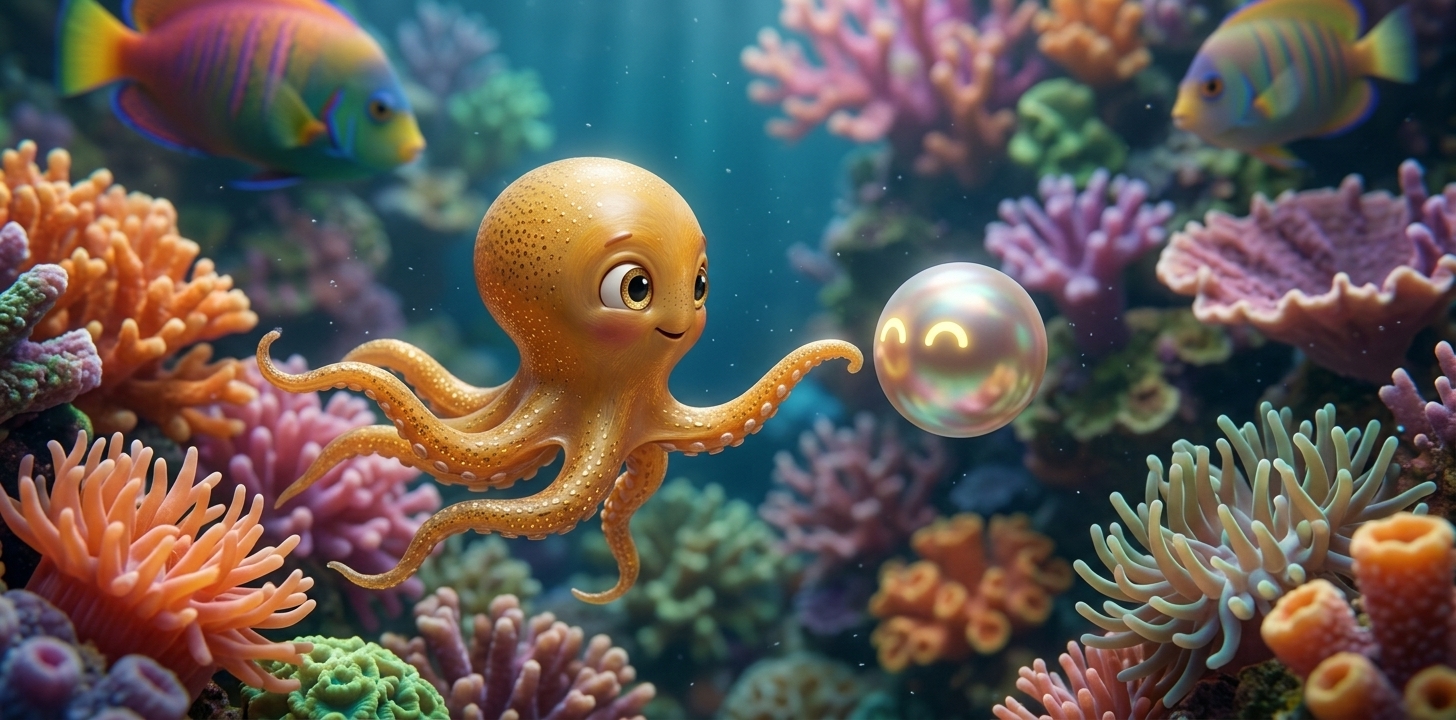
Initial Brief
Batch 1 Feedback
Okay, so I think the regen worked the best. It seems that they have either the various styles, but I want them to all be combined in one image so it can be more subtle. Some of these are looking good. I think the best one is for scene 2 V1, painted fish regenerate.
Favorite: Scene 2, V1 Painted Fish (Regenerate)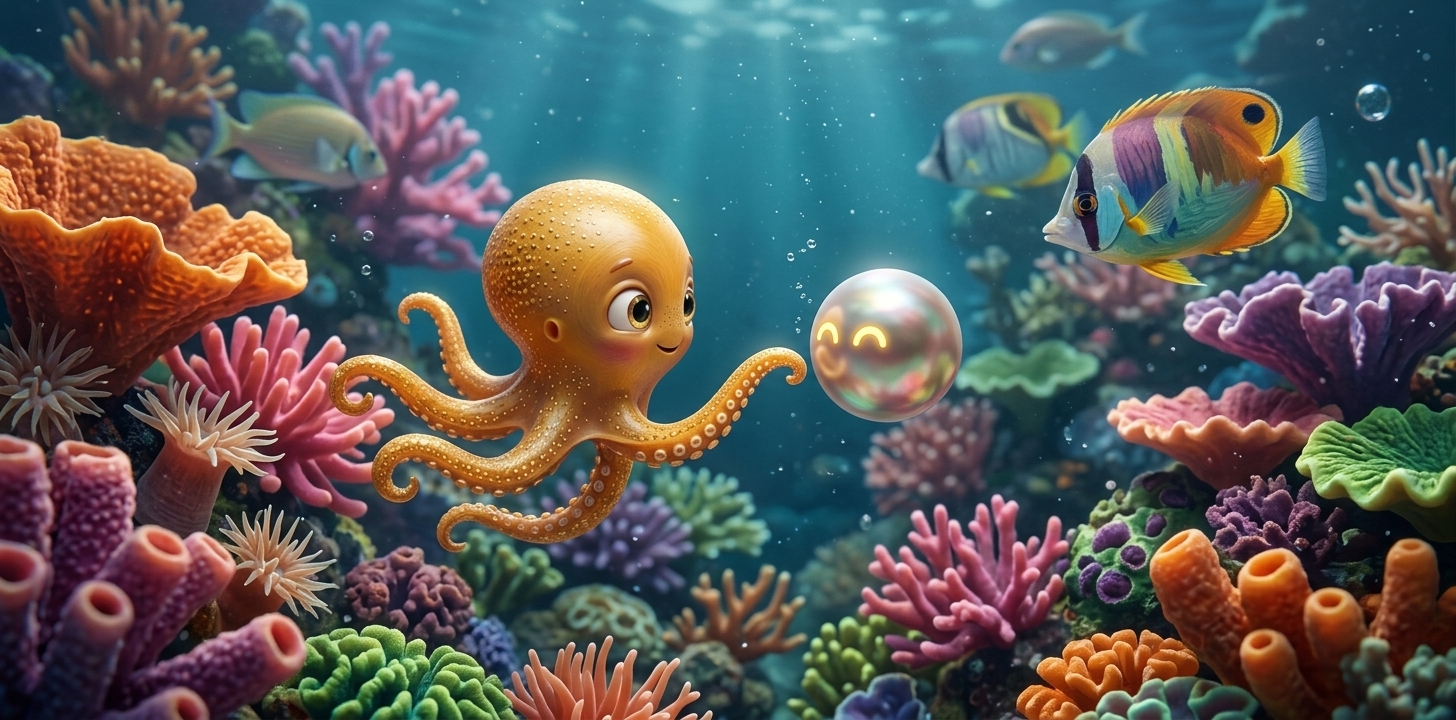
We want this to also have a subtle watercolor background, or maybe the far background coral reef is watercolor with very subtle linework. Maybe some of the very front foreground coral is that kind of 3D collage look, but we keep a lot of the middle of the scene realistic. We need to make sure that all he generates with no ears.
This one came out the best for ink.
Favorite: Scene 2, V3 Ink Background (Regenerate)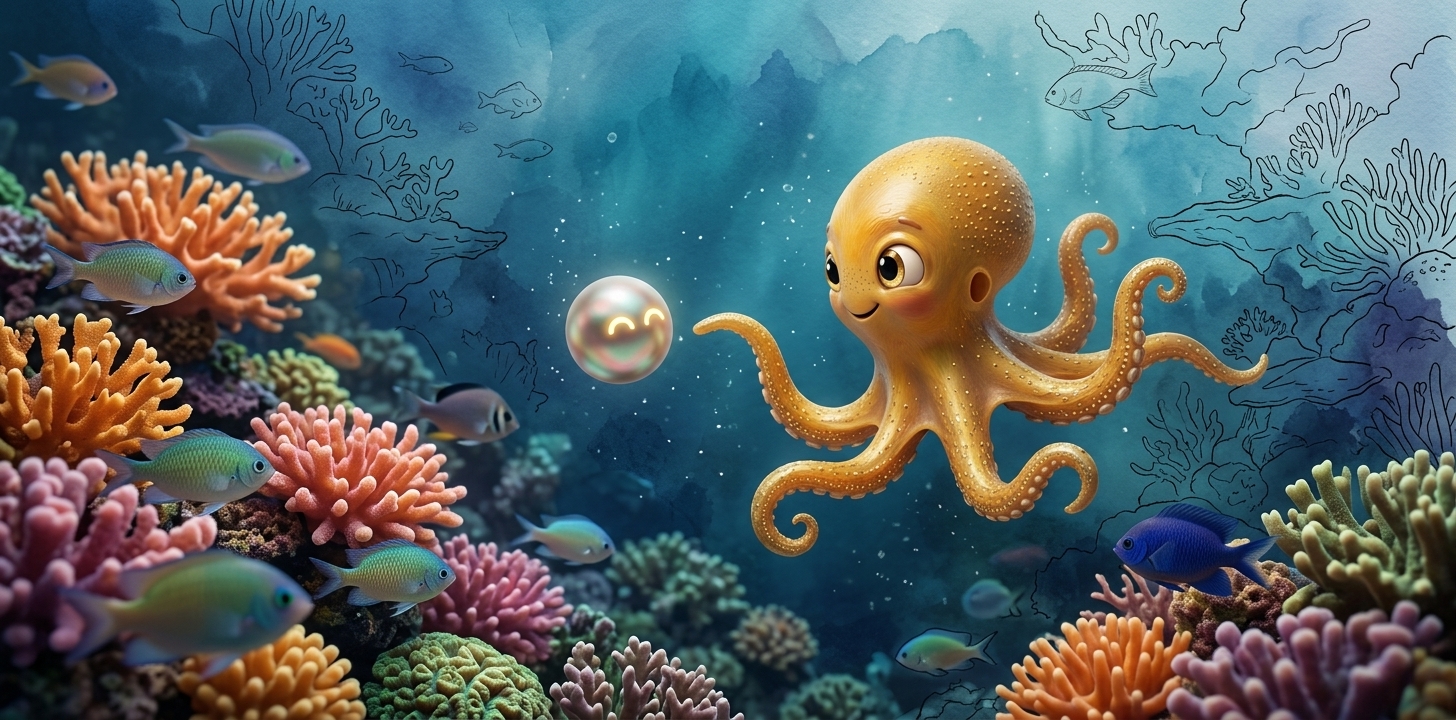
But I don't want it to be completely covering the background of the underwater scene. I want it to be kind of like blended reality, blending ink and watercolor with the reality, so it's not overtaking the entire background. It's just fragments of the scenes background; for the full blend scene that was done, it's like too much over-taking the reality of the coral reef. We want it to just be like those little pieces that I discussed before.
I think we're missing this 3D kind of paper mache style coral where it's like it looks like real coral but it's like a 3D type collage.
We had it in the progression tab. We use that type of style to generate the sunny reef scene, but I don't know if any of the prompts that were used on that page are actually describing the 3D nature of the mixed media style that's in there. Yeah, I think the torn paper mache coral formations growing in a photographic Hawaiian reef, tulle fabric undulating as ocean current, craft paper rock texture, and crystal clear tropical water. Every material is undeniably itself, dry paper or wet ocean, painted character real show. They coexist as one reality. I think that's like a big part of the prompt that made it successful.
Batch 18 Direction
what is this weird verticle fish that keeps showing up
Trumpetfish — removed from all prompts.
and why does some of this look like our mixed media? its supposed to be real coral ecosystem just bright colors
Removed all mixed media language ("handcrafted 3D artwork", "photographed artwork in real ocean water"). Pure underwater photography prompts only.
why did you use image-1 you need to use image-2
Fixed to gpt-image-2.
remove this whole batch
Batch 17 removed from page.
Okay, yes, use my favorites as an inspo along with the previous comments to deploy the next batch and ensure the generation details are fully documented
Pure underwater photography — no mixed media language, no trumpetfish, no handcrafted artwork. Three models (NBP, NB2, GPT-Image-2) each with model-specific prompts written per skill rules. 12 images total (4 per model). All prompts fully documented with temperatures and model details.
Batch 17 Direction
these were good, save in a reefs favs tab, theres something still not quite natural about these scenes, even though we want them extra colorful its like the placement of the fish are unnatural and the composition of the environment, can you do the next round with nbp and nb2 and image-2
yo are you using the prompt skill for each model
Three models with model-specific prompts — NBP (concise design brief), NB2 (subject-first natural language), GPT-Image (material block + structured sections). Each model gets a prompt written according to its own prompting skill rules. Reef skill used for natural species placement. 12 images total (4 per model).
Batch 16 Direction
shouldnt there be like anenomis too we need there to be super diverse reef life
Super diverse reef life — anemones with clownfish, yellow tangs, butterflyfish pairs, Moorish idol, turtle gliding above, parrotfish, trumpetfish, sea urchins, feather duster worms, starfish, crabs. Every species in natural habitat. Same bright colors and low angle. NBP only, 8 variants. $0 cost.
Batch 15 Direction
the turtle is showing on the ground in a lot of these
we want the turtle... we just want him swimming
Turtle GLIDING through open water ABOVE the reef — swimming naturally with slow powerful flipper strokes, silhouetted against bright surface light. Explicit "NOT sitting on ground" in prompt. Same bright colors and low angle. NBP only, 8 variants. $0 cost.
Batch 12 Direction
these are the best ones - env_v1. We wanted to be at a lower angle so it's not showing a bunch of blue at the top of the image. It's deep in the coral, and you can see the light shining through the surface, but the focus is down in the coral.
Low angle deep in coral — camera positioned among formations looking up through reef canopy. Used reef-environment-prompting skill for species placement. NBP only, 8 variants. $0 cost.
Batch 11 Direction
these are the ones that looked ok [nbp_env_v1, v2, v4] but the color pallet isnt there, we need to redo with a focus on the colors that were in these but keeping the dynamic plants and animals in the originals just enhanving the colors and making it more vibrant and the ocean more blue like these: meeting_wide_5, meeting_wide_3
Enhanced color palette prompt — vivid blue ocean, saturated coral colors matching meeting_wide references. NBP only, 8 variants. $0 cost.
Batch 10 Direction
These scenes are showing the characters staring directly at the camera, at the viewer, and very obviously placed in the middle of the scene. They're not dynamically in motion in the scene, like we have in our character consistency variations. They're looking very much like they're plastered on reference images. Also, the environment isn't looking super diverse.
Can we try generating scenes of just the environment and then evaluate what was done in our reference or underwater character references provided that made the characters look more dynamic in the scene? Tell me what your evaluation says.
Root cause: Successful prompts (b3_fix_1, meeting_1, arm_around_a) describe ACTORS — "floating face to face, LOOKING AT EACH OTHER", "reaching curiously", "body undulating with water currents", "arms drift naturally with current." Hide-and-seek prompts describe OBJECTS — "hides BEHIND coral", "peeking over", "barely visible."
Camera staring: When prompt says "eyes peek over" with no gaze target, model defaults eyes toward the viewer. Successful prompts say "looking at each other" or "looking at Dot" — giving the eyes a TARGET.
Plastered effect: Characters described in isolation (each behind separate coral) with no mutual awareness, no interaction, no movement verbs. Successful prompts have relational language: "tilted toward Ollie, as if aware of him."
Environment: Generating environment-only first to isolate the reef quality from character issues. 8 environment-only variants (4 NBP + 4 NB2).
Batch 9 Direction
These one are better. I like how these ones have plant life above where the characters are hiding. I want to make it even more tall and dense, going up towards the surface, so there's not a clear blue horizon across the whole top of the image. This image is still not looking super realistic as an underwater scene. It's kind of looking like a collage of random animals. We want this to look like a hyper-realistic underwater ecosystem, and the characters Ollie and Dot need to be much, much smaller in proportion to the sea life around them. We need the photography style to make it look like a real underwater photography scene, like the reference image that I provided.
Best from Batch 8: nb2_v4Scale/color refs: scene1_b, meeting_wide_3, meeting_wide_5 (batch22-nbp)
Prompt shortened to match the concise meeting_wide style (~150 words) that produced realistic results. "HYPER-REALISTIC UNDERWATER PHOTOGRAPHY" instead of listing individual species (which produced collage look). Reef fills frame bottom to top — no clear blue horizon. "Photographed handcrafted 3D artwork in real ocean water" — the key phrase from all successful batches.
Batch 8 Direction
These are the best ones so far but the show has to be way more wide like a full abundant coral reef scene and the characters need to be way smaller and further int he background so the foreground is filled with coral and other sealife, distracting the viewer from where the characters are hiding, the view should be in a macro scale like these images were go check their prompting to gret a more distinct scale like this where the caracters look truly tiny within the ecosystem and the underwater realism is more pronounced
Best from Batch 7: nb2_v1, nb2_v3, nb2_v4, nbp_v3, nbp_v4Scale reference: b6_fix_3
Characters pushed FAR into the background (~5% of frame). Foreground dominated by massive coral, schools of fish, sea life that DISTRACTS the viewer. Prompt restructured: scene/foreground described FIRST (before characters), characters described as "FAR IN THE BACKGROUND." Where's Waldo scale. Reef is the star of the image.
Batch 7 Direction
These scenes are close but the characters should be hiding BEHIND the coral in the BACKGROUND, just the tops of their heads and eyes are visible and maybe some of ollies arms but they are distinctly hiding.
Batch 6 Direction
This one is the best but the characters arent hiding, and you should not use the style ref, if a style ref was used to make the image we were replicating go find the prompt for that image dont use the style ref because its messing with the scene, we also need to show the prompt and images that were used as references on all these batches in the gen details.
This ones the other closest but the characters need to be hiding in the coral reef, ollies arms should be shorter and they characters need to look way smaller in releation to the environment. Refer to the macro scale of b3_fix_1, see the prompt we used for it.
Best from Batch 5: nbp_v1 + nb2_v1Removed style ref (was interfering with scene). Shorter arms on Ollie. Characters HIDING in coral. Way smaller characters vs environment (b3_fix_1 macro scale, ~10% of frame). Folded style ref's qualities ("photographed handcrafted 3D artwork in real ocean water") into text prompt instead. 2 refs only (Ollie + Dot).
Batch 5 Direction
So a lot of these, the characters weren't coming out right. I'm not sure if the prompting changed from our previous generations, where we had really great character consistency. This one is the best, but we need the scene to be a much wider angle shot, and I don't want it so sprinkled with random shells. Whatever that prompt is, it's surrounded by a bunch of random shells. Let's remove that.
We wanted it to be an abundant, wide-angle scene of a sunny, shallow reef with a dynamic and vibrant environment, like a reef environment. I want the characters to look real and submerged in water. They don't look like that in this image.
Best from Batch 4: hide_and_seek_v5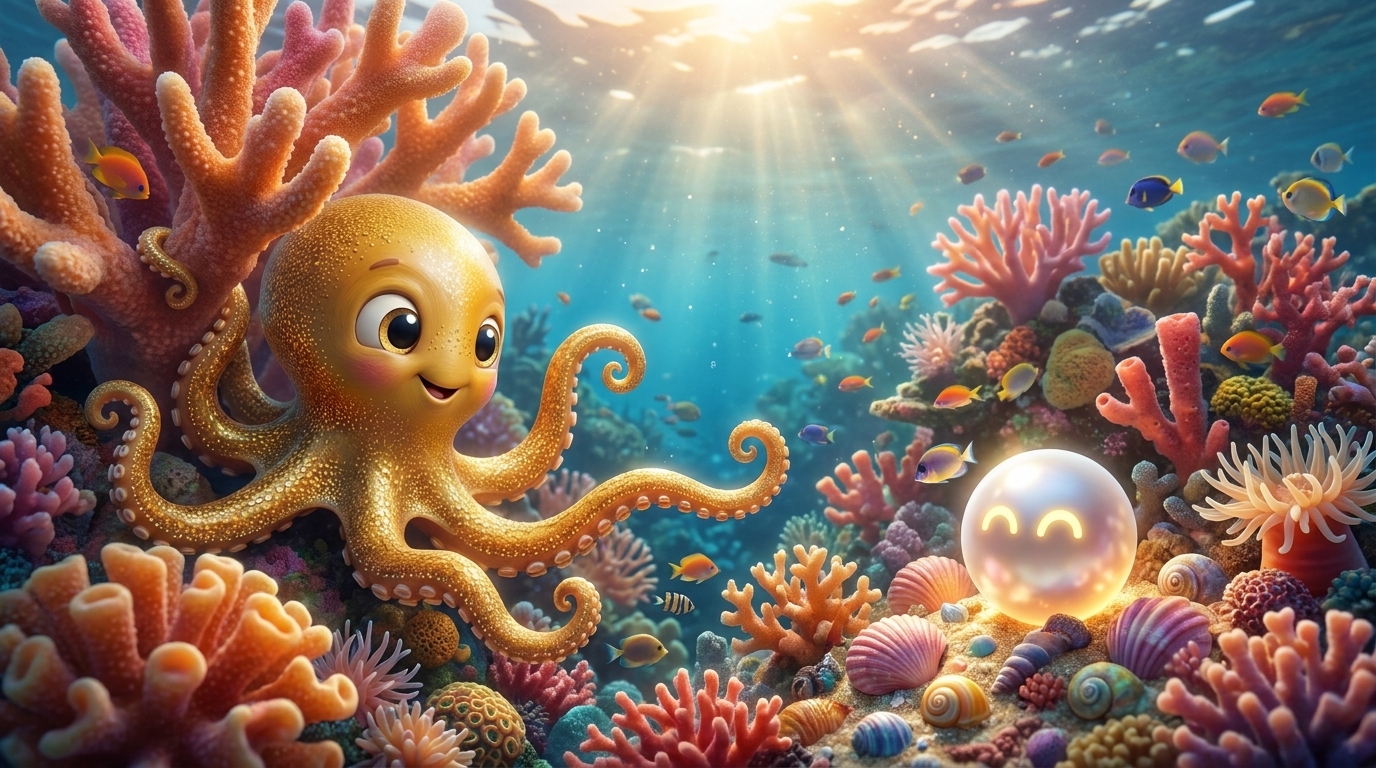
We need to go back to some of the other character images that did work. I'll send here: arm_around_a (character quality), b3_fix_1 (best captures tiny scale vs reef), b6_fix_3, meeting_wide_3 (big reef wide-angle, but want even more abundant coral), meeting_1 (little flecks that make it look submerged, hazy sunlight, characters well executed, reflection on Dot). Go analyze what was done for each of these. Be mindful of which models were used, which style references and image references. We don't want to use a scene reference since we're creating a new scene. Use the skill for the model to write the prompt the right way.
NBP favorites (meeting_wide_3, meeting_1): 3 refs (style + Ollie + Dot), role block, concise ~200 word prompt, 16:9. meeting_wide_3 used "WIDE ESTABLISHING SHOT" + "characters 15-20% of frame". meeting_1 used "MACRO PHOTOGRAPHY" + "caustics, particles, underwater tinting".
NB2 favorites (b3_fix_1, b6_fix_3): 2 refs (Ollie + Dot only), no role block, detailed ~350 word prompt, 2:1. Key phrases: "FLUID, ORGANIC, TRULY SUBMERGED", "water caustics play across his skin", "NOT rigid or static".
Batch 5: 8 variants — 4 NBP + 4 NB2, each using their proven prompt structure adapted for hide-and-seek. Wide angle, abundant reef, deep DOF, no shells. $0 cost (Google AI Studio).
Batch 4 Direction
Okay, so these turned out, honestly, pretty bad. I think we need to try generating these scenes just based off of the character text that we have, the character prompt that we use for the character reference images, so that we can get the scene before we try to pull in the mixed media aesthetic. The scene is just looking too fake and not submersed like the character references that I gave you and the recent character generations that we did for the character consistency pages, like NB2 favorites and NBP favorites. These are all looking very submersed in this colorful coral reef, really underwater and dynamic in the scene and floating. That's what's not coming through, so I want to try to go back. I'll give you one of my favorite images, and I want to try to go off of that prompt to create these scenes, so I'll give it a try.
Reference (target quality): batch23-nbp / meeting_1.jpg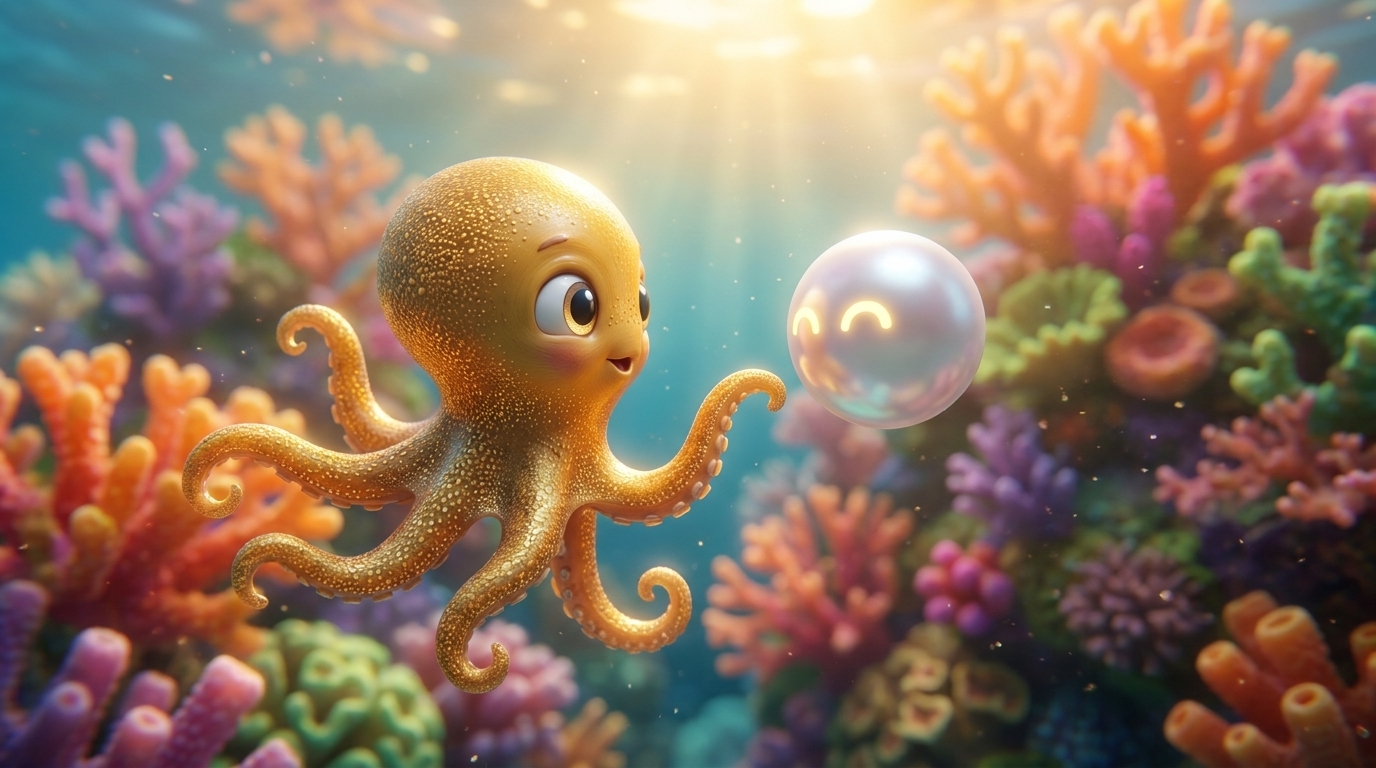
Generating the realistic scene FIRST using the exact batch23-nbp method (NBP model, 3 refs, concise prompt). Get the scene right — characters submerged, fluid, dynamic, part of the reef — then add mixed media elements AFTER. Started with Hide and Seek scene only (8 variants).
Batch 13 Feedback & Batch 14 Direction
The turtle is showing on the ground in a lot of these. Need to remove turtle from the prompt entirely and use fish only: yellow tangs, butterflyfish pairs, Moorish idol.
Same bright colors and low angle composition as Batch 13 but with turtle removed from prompt. Fish only: yellow tangs, butterflyfish pairs, Moorish idol. 8 environment-only variations. Model: nano-banana-pro-preview. Temperature spread: 0.85–1.15. Refs: None (environment only).
Batch 12 Feedback & Batch 13 Direction
Needs brighter colors. The low angle and composition from Batch 12 are good, but the colors need to POP more — hotter pinks, vivid oranges, electric purples, bright lime greens. Colors should glow and be highly saturated.
Same low angle deep-in-reef composition as Batch 12 but with explicit BRIGHT VIVID SATURATED color direction. 8 environment-only variations. Model: nano-banana-pro-preview. Temperature spread: 0.85–1.15. Refs: None (environment only).
Batch 3 Direction
Hey i want to follow up on the latest gens from the character and style page. Lets start batch 3 and make these scenes for hide and seek and whale song and edge, adapting the prompts and using the same method as we have from the latest Combined Subtle Mixed Media gens. Make 4 variations of each with an agent team. We also need to add that the foreground fish should be painted and background fish can be realistic.
Hey, you're not supposed to use reference scene for this. I can tell you it looks like you used a reference scene for this. Otherwise, you didn't generate it the same way that you did Batch 2. Batch 2 looks great.
You need to go figure out what prompting you use to make this image that I sent, and go use the same exact setup as you did for this one for these scenes. Since these didn't turn out right, we need to try again. Maybe it's the temp that's a little different. I don't know, but the characters aren't looking good at all. This whole scene isn't looking good. The characters are looking super static, and I don't know if we just need more variations.
It looks like the temp changed on these also. On the hide and seek scene, the characters just look like pasted on the page, whereas we were getting such good results on Batch 2. Go analyze what you did to direct the characters on Batch 2 that changed it. Maybe the characters need more direction.
Reference (what worked): Batch 2, b2_v8 (temp 1.15)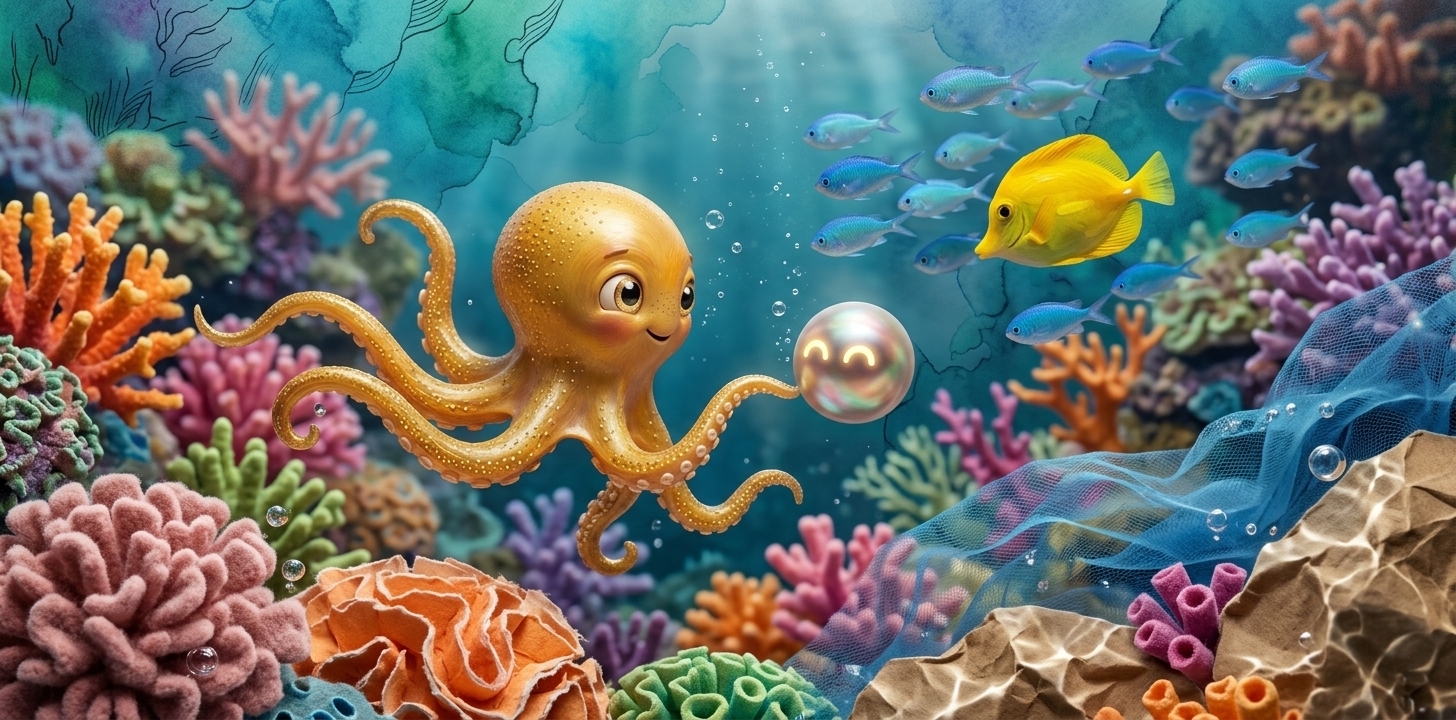
We don't want the character blocks kept verbatim from batch two. We need the scene to make sense based off of the scene that we're generating, which is them hiding. We need the characteristics of the design maintained: fluid, organic, submerged body, undulating, not rigid, but the character should be described as hiding. The positions of them should be very descriptive so we don't see them just pasted on the page. We need to see how the characters are being directed in batch two and adapt that for this scene. Do not replace the instructions in this scene with what we did, because this is an entirely new scene.
Lesson: Don't copy character blocks verbatim from another scene. Write NEW scene-specific character direction that maintains the same QUALITY: fluid, organic, submerged, specific arm positioning, water interaction on the character, emotional expression. Characters described in their actual scene positions (hiding, watching, standing at edge) but with equally rich dynamic detail.
Example (Hide & Seek Ollie): "His body presses softly against the coral branch he's tucked behind, conforming to its shape like a real octopus camouflaging. TWO arms curl tightly around the coral branch above him, gripping organically as the current gently tugs at him. THREE arms drape down loosely behind the coral, swaying with the water flow, tips curling and uncurling lazily."
All 24/24 generated successfully. Model: NB2. Refs: Ollie 3D + Dot 3D. Google AI Studio free tier ($0). Same temp spread as Batch 2.
Batch 2 Generation Notes
8 variations generated combining all mixed media styles into one subtle scene. Used the proven "sunny reef" prompt language for 3D collage coral: "Torn paper mache coral formations growing in a photographic Hawaiian reef. Tulle fabric undulating as ocean current. Kraft paper rock textures in crystal-clear tropical water. Every material is undeniably ITSELF — dry paper, wet ocean — yet they coexist as one reality."
Temperature spread: 0.85, 0.95, 1.0 (x2), 1.05 (x2), 1.1, 1.15. Model: NB2. Refs: Ollie 3D + Dot 3D. Platform: Google AI Studio (free tier, $0 cost). All 8/8 successful.
V4: Three Prompt Approaches
V4: Testing 3 prompt approaches for mixed media in photorealistic reef. Direction A: Edit existing proven image. Direction B: Fresh gen with minimal mixed media instruction. Direction C: Fresh gen with JSON-structured prompt. All NBP, 4 variants each.
Direction A: Edit Existing Image
Original Image (edited)
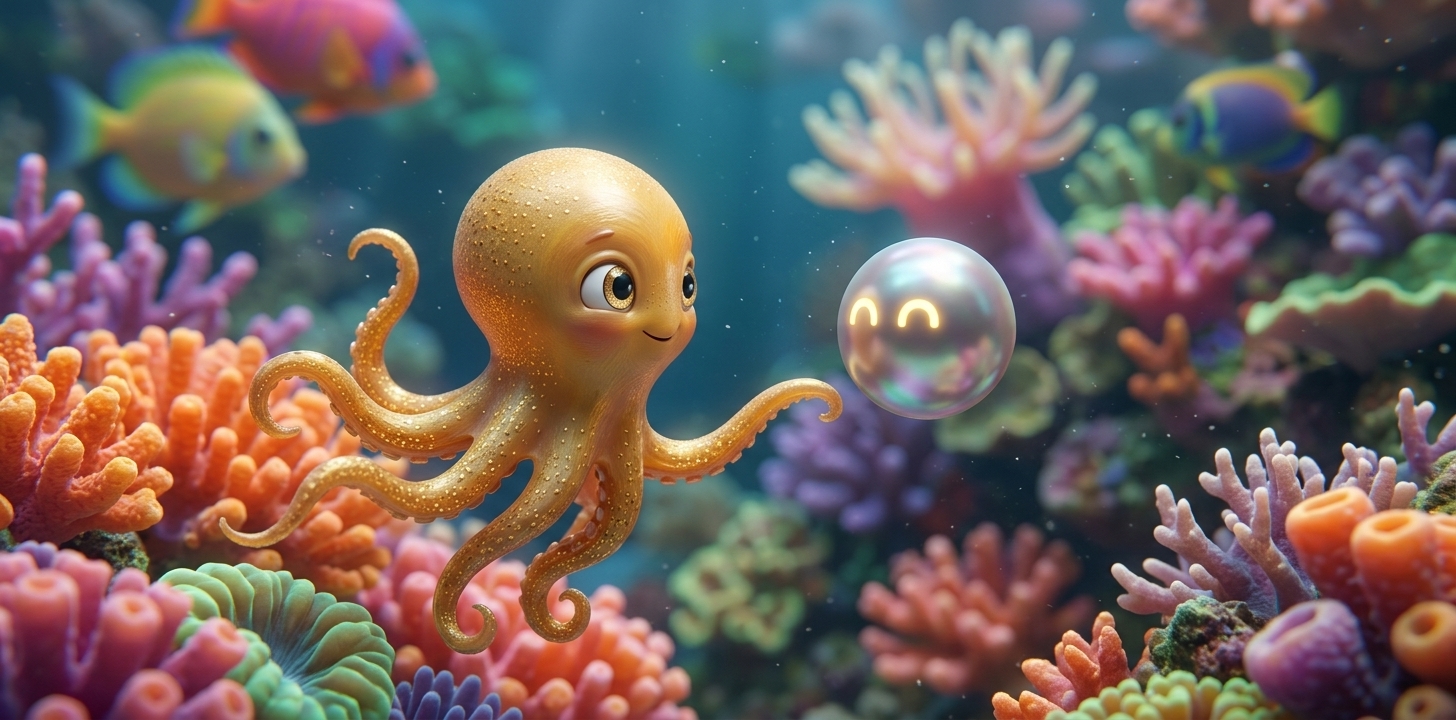
Direction B: Fresh Gen — Minimal Mixed Media
Scene inspiration (cover)
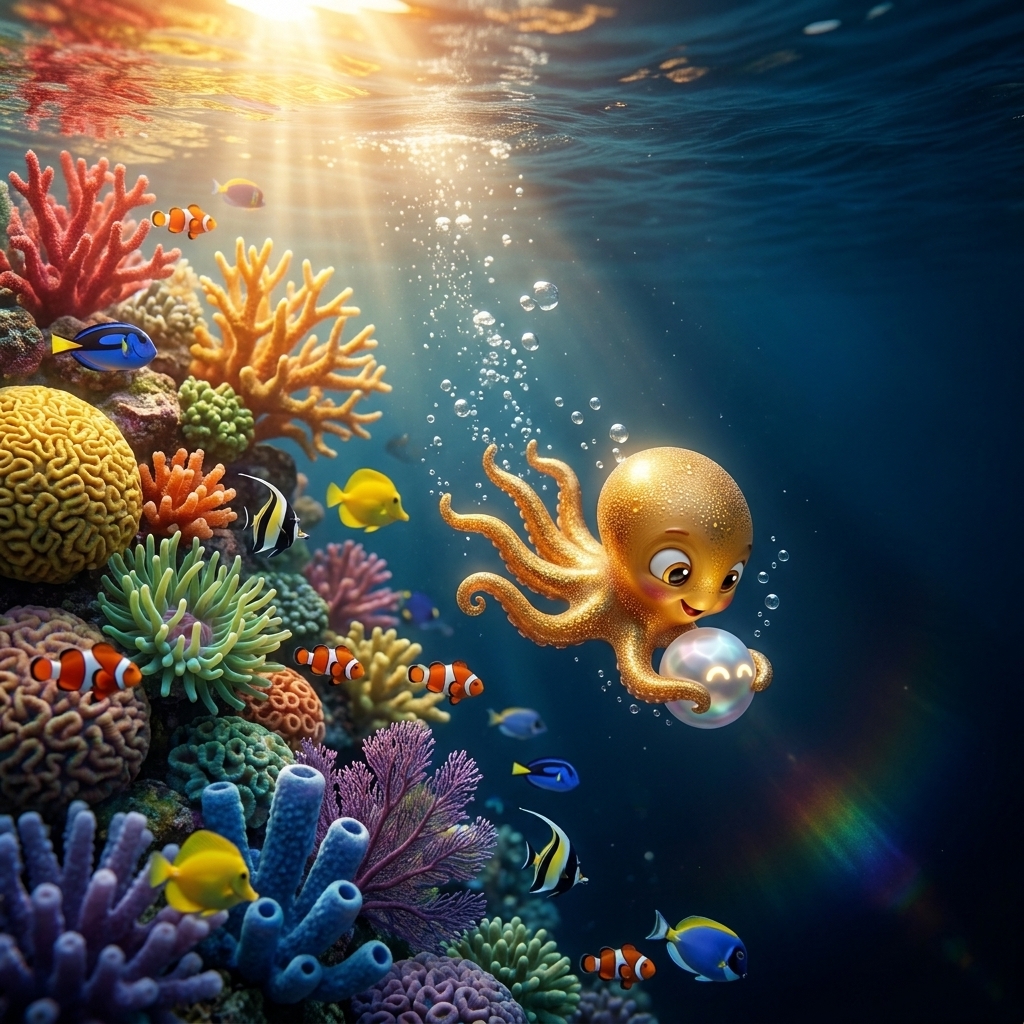
Direction C: Fresh Gen — JSON Structured
Scene inspiration (cover)
I want to try a couple of different paths to bring in our mixed media style into some of the character scenes that we've been developing. I'll give you the character scene. I want to try a couple of different approaches:
1. Regenerating the character scene. Currently, the whole background of the scene looks like almost like a real coral reef, with a lot of brightly colored plants and coral and fish, like realistic underwater fish. I want to mix in some of our mixed media style concepts into these, keeping the background looking very realistic and the fish looking very realistic. Maybe one or two of the fish will be painted over so it looks like it's almost illustrated in the background. Some of the coral might be a collage effect of different material cutouts and little detail artwork, blending with the reality of the scene. In the far distant background, maybe have some ink line work outlining the silhouette and maybe a subtle watercolor.
2. Editing the current image and regenerating the current image. I think you could try maybe four different types of prompts to do that for each of those, coming out with eight different images. Use the same model and prompt that we use to get the scene for the character scene that I'll send you, but just update it to include some of this mixed reality and painting style. I think we had this gauche style, highly detailed painting, and keep all the painted and collage-style elements looking immersed in the water, just like the rest of the scene. It all still looks like it's submerged and part of the underwater scene. I'll give you two different character scenes to try. So we'll do 16 output images and make sure that you include all the details of the generations, like the prompt and the reference images. I made sure that all the details are preserved from the original prompt that made these character scenes like the scene details and character prompts and sizing and scale etc. Make sure you're using the same prompt and reference images as the original character scene that I'm sharing with you. Have the page be laid out the same as we have the character consistency page.
Source scenes:1 — batch19-meeting/3d/b3_fix_1.png
2 — batch19-meeting/3d/b6_fix_3.png